 Share Predictions


Corning Incorporated (GLW) stock analysis and AI prediction
The company facts of Corning Incorporated, with its price and AI prediction for the next 10 market days in SharePreds.
Keep looking in SharePreds
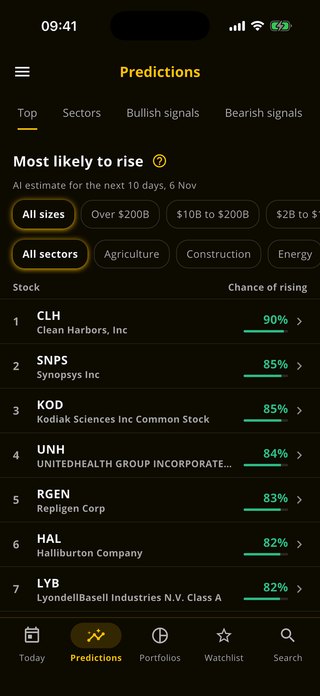
You have looked at today's stocks on this website. SharePreds shows every stock's likelihood of rising, its chart and how its earlier predictions ended, with alerts on the ones you follow.
 Scan with your phone


About Corning Incorporated
Corning is a provider of glass, ceramics, and optical fiber across six distinct end markets. Corning's largest segments by revenue are display glass for TVs and optical fiber for telecom networks and data centers. It also provides cover glass for smartphones as well as filters and substrates and glass for cars, produces pharmaceutical glass, and produces polysilicon for solar panels. Corning is a US producer and is vertically integrated across its products and markets.
- Sector
- Manufacturing
- Exchange
- NYSE
- Market value
- $91.3 billion
- Size
- Large cap
- Employees
- 67,200
- Headquarters
- CORNING, NY
- Listed since
- May 21, 1945
- Website
- corning.com
More Manufacturing stocks
Other large cap stocks
Keep going
GLW questions
What is the AI prediction for GLW stock?
Each market day our model rates Corning Incorporated (GLW) Bullish, Neutral or Bearish for the next 10 market days. Predictions are indicative: they rest on price and volume data, and they can be wrong.
How often is the GLW prediction updated?
Each market day, Monday to Friday, except market holidays. The date of the prediction is shown beside it.
What do Bullish, Neutral and Bearish mean?
Bullish means the model sees a rise as likely over the next 10 market days, Bearish a fall, and Neutral no clear direction.
Where can I see the exact likelihood for GLW?
In the SharePreds app for iPhone and Android, with the stock's chart, alerts on it and how its earlier predictions ended.
Where can I see GLW options?
The GLW options page explains its calls, puts and Greeks. The full GLW options chain, every strike and expiry, is in the OpPreds app.