 Share Predictions


Custom Truck One Source, Inc. (CTOS) stock analysis and AI prediction
The company facts of Custom Truck One Source, Inc., with its price and AI prediction for the next 10 market days in SharePreds.

Keep looking in SharePreds
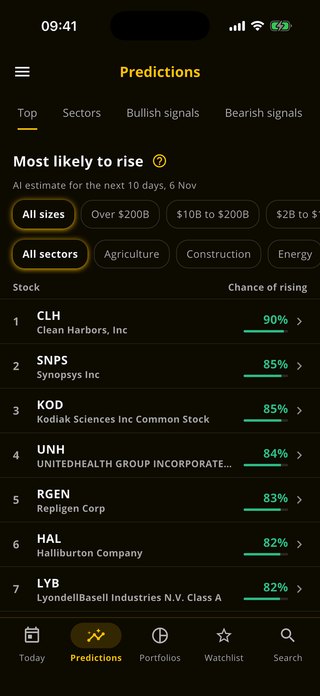
You have looked at today's stocks on this website. SharePreds shows every stock's likelihood of rising, its chart and how its earlier predictions ended, with alerts on the ones you follow.
 Scan with your phone


About Custom Truck One Source, Inc.
Custom Truck One Source Inc is a one-stop-shop provider of specialty equipment in the electric utility transmission and distribution, forestry, telecom, waste management, rail, and infrastructure end-markets in North America. The company's segment includes Equipment Rental Solutions (ERS), Truck and Equipment Sales (TES), and Aftermarket Parts and Services (APS). It generates maximum revenue from the TES segment. Geographically, it derives a majority revenue from the United States.
- Sector
- Services
- Exchange
- NYSE
- Market value
- $2.1 billion
- Size
- Mid cap
- Employees
- 2,500
- Headquarters
- KANSAS CITY, MO
- Listed since
- Oct. 6, 2017
- Website
- customtruck.com
CTOS questions
What is the AI prediction for CTOS stock?
Each market day our model rates Custom Truck One Source, Inc. (CTOS) Bullish, Neutral or Bearish for the next 10 market days. Predictions are indicative: they rest on price and volume data, and they can be wrong.
How often is the CTOS prediction updated?
Each market day, Monday to Friday, except market holidays. The date of the prediction is shown beside it.
What do Bullish, Neutral and Bearish mean?
Bullish means the model sees a rise as likely over the next 10 market days, Bearish a fall, and Neutral no clear direction.
Where can I see the exact likelihood for CTOS?
In the SharePreds app for iPhone and Android, with the stock's chart, alerts on it and how its earlier predictions ended.
Where can I see CTOS options?
The CTOS options page explains its calls, puts and Greeks. The full CTOS options chain, every strike and expiry, is in the OpPreds app.